Projector buying guide for home, office and outdoor use
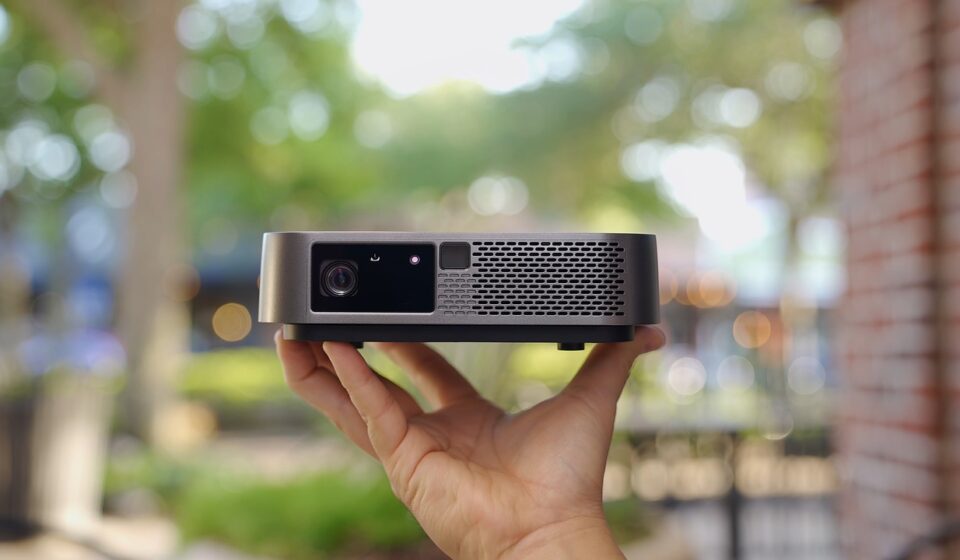
Quick answer before you compare models
A good projector choice starts with the room, not the brand. This projector buying guide focuses on the specifications and site conditions that most often decide whether a projector looks sharp, bright and easy to use: screen size, ambient light, throw distance, resolution, light source, input lag, sound and installation limits. In a dark movie room, contrast and accurate color usually matter more than headline brightness. In a living room, classroom or outdoor night setup, brightness, screen material and placement become more important.
Before comparing prices, measure the wall or screen area, seating distance, projector-to-screen distance and typical lighting conditions. Those measurements will remove unsuitable models faster than any ranking list.
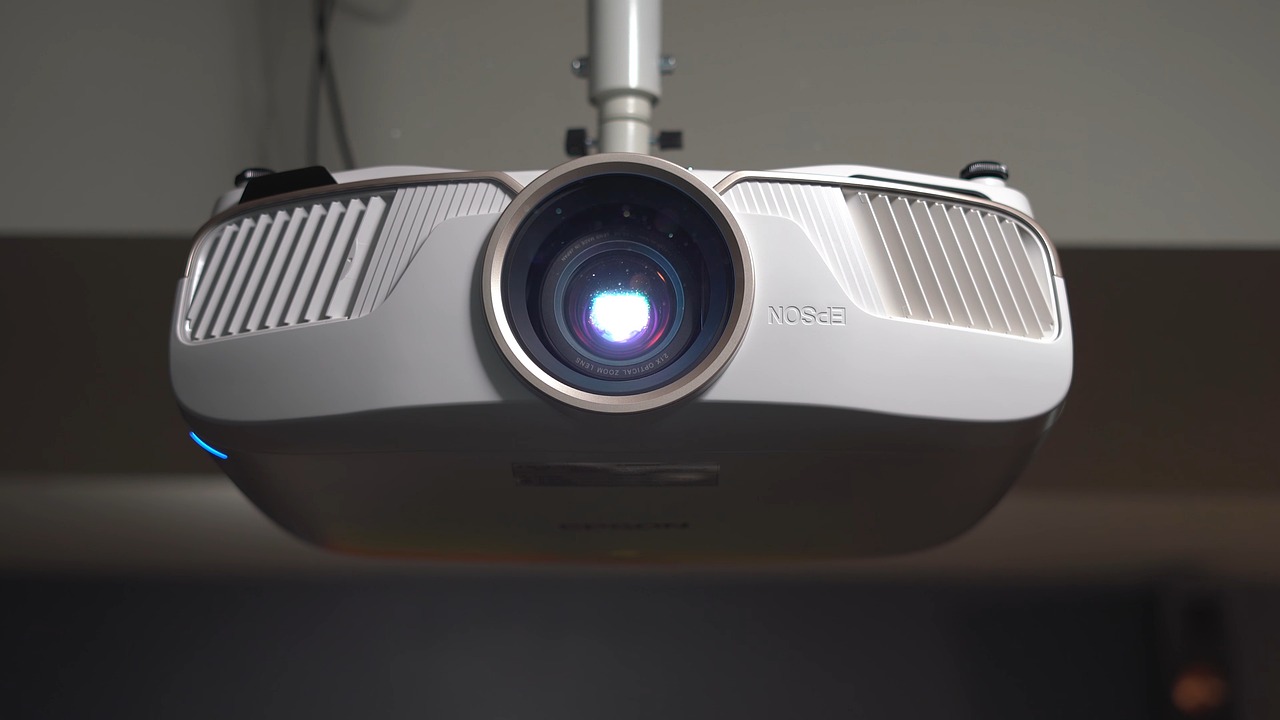
For more practical product-selection articles, visit the Buying Guides section.
Start with the use case and room conditions
Projectors are not one-size-fits-all displays. A compact portable model, a living-room ultra-short-throw unit and a ceiling-mounted home theater projector can all produce a large image, but they are designed around different compromises. The useful first question is simple: where will the projector be used most of the time?
- Dedicated home theater: Prioritize contrast, black level, lens quality, quiet cooling, accurate color and reliable 4K handling. In a controlled dark room, a moderate-brightness projector can often look more cinematic than a brighter model with weak black levels.
- Living room or multipurpose space: Prioritize brightness, flexible placement, keystone and lens shift, a screen that can cope with ambient light and straightforward audio connections.
- Office, classroom or training room: Prioritize readable brightness, text clarity, easy input switching, networking or wireless sharing if required, and the maintenance cost of lamp or laser systems.
- Gaming: Prioritize measured input lag, refresh-rate support, HDMI feature support and a usable low-latency game mode.
- Outdoor movie nights: Prioritize portability, brightness after sunset, quick setup, speaker connections and a stable screen. Consumer projectors are not realistic substitutes for daylight TVs.
Be cautious with marketing images that show huge, bright pictures in sunlit rooms. Ambient light reduces apparent contrast because room light competes with light reflected from the screen. Specialist screen makers and projector testing publications consistently treat the screen and room as part of the projection system, not as optional accessories.
Key specifications that are worth checking
Projector specification sheets can be difficult to compare because some figures are measured under defined conditions while others are marketing labels. ISO/IEC 21118:2020 defines information for projector specification sheets, including light-output measurement procedures, while HDMI Licensing Administrator materials describe video features such as 4K120, VRR, ALLM and eARC. The practical rule is to compare measured or standards-based specifications where possible, and to verify the exact feature rather than relying only on a broad label.
| Specification | Why it matters | What to verify before buying |
|---|---|---|
| Brightness | Controls image visibility at a given screen size and room light level | Look for ANSI lumens or ISO lumens, not vague LED brightness claims |
| Throw ratio | Determines where the projector must sit for a chosen screen width | Use the formula: screen width multiplied by throw ratio equals projector distance |
| Resolution | Affects visible detail, especially on large screens | Check whether 4K is native or pixel-shifted, and whether that matters for your use |
| Contrast and HDR | Influence depth, shadow detail and perceived picture quality | Read independent reviews when available, because contrast claims vary widely |
| Light source | Affects maintenance, brightness stability and ownership cost | Compare lamp replacement cost with laser or LED rated operating life |
| Input lag | Important for gaming and interactive use | Look for measured lag in game mode at the resolution and refresh rate you will use |
| Connectivity | Determines compatibility with consoles, streamers, laptops and sound systems | Confirm HDMI version, eARC, USB power, Wi-Fi, Bluetooth and audio outputs |
Brightness and screen pairing
Brightness is usually listed in lumens, but not all lumen claims are equally useful. ANSI lumens and ISO lumens are more comparable because they refer to standardized measurement methods. Some small portable projectors advertise LED lumens or light-source lumens, which can sound impressive but may not represent the brightness reaching the screen. If the specification is unclear, treat the claim with caution.
As a planning guide, a dark room with a 100-inch to 120-inch image may work well with a moderate-brightness home theater projector. A living room with lamps, light-colored walls or evening ambient light often needs a brighter projector or a smaller image. Office rooms and classrooms generally need higher brightness because text and charts must remain legible. Outdoor use should be planned for after sunset; even powerful consumer projectors struggle against daylight.
Screen choice can change the result as much as the projector. A matte white screen with 1.0 gain is predictable and even, but it cannot reject room light. Ambient light rejecting screens are designed to reduce the effect of light coming from certain angles, which can help in living rooms. However, ALR screens are not magic: they have viewing-angle limits, may require precise projector placement and can cost enough to change the total budget. Ultra-short-throw projectors usually need screens designed specifically for UST light geometry.
Throw distance, screen size and installation
Throw ratio is one of the most important buying checks because it determines whether the projector physically fits the room. The formula is straightforward: projector distance equals screen width multiplied by throw ratio. A 100-inch 16:9 screen is about 87 inches wide. With a 1.2 throw ratio, the projector lens would need to be about 104 inches, or 8.7 feet, from the screen. With a 0.5 short-throw ratio, it would sit roughly 44 inches away. With an ultra-short-throw unit, the projector may sit only inches from the wall, but placement precision becomes more critical.
Do not rely only on keystone correction. Digital keystone can square up the image, but it may reduce sharpness because the projector is digitally reshaping the picture. Lens shift is usually preferable because it moves the image optically without the same resolution penalty. If the projector will be ceiling-mounted, check vertical offset, lens shift range, power outlet location, cable path, ventilation clearance and access for filter cleaning or lamp replacement.
Portable projectors often include auto-focus and auto-keystone, which are convenient for casual use. For permanent installations, mechanical stability matters more. A slightly misaligned mount can become noticeable on a 120-inch image, especially with subtitles, spreadsheets or fine interface text.
Resolution, imaging technology and picture quality
Resolution matters, but it should be considered alongside brightness, contrast and lens quality. Full HD can still be acceptable for casual viewing, classrooms and portable use. 4K becomes more valuable on larger screens, at closer seating distances and in movie-focused rooms. Many consumer 4K projectors use pixel shifting rather than a native 3840-by-2160 imaging chip. Public information from projector specialists and chip makers shows that pixel-shifted 4K can look very sharp for video, but it is different from native 4K and may affect high-refresh gaming support depending on the model.
The main imaging systems are DLP, 3LCD and LCoS-style technologies. DLP projectors can be compact and sharp, but some viewers notice rainbow artifacts on single-chip designs. 3LCD projectors are known for strong color brightness because they do not rely on a single color wheel in the same way. LCoS-type projectors are often associated with strong contrast and premium home theater performance, though they can be larger and more expensive. The right choice depends on the room and budget, not on a single technology label.
For HDR, be realistic. Projectors cannot usually reach the same peak brightness as modern TVs, so tone mapping is important. A projector with thoughtful HDR processing, good contrast and the right screen may look better than a brighter model with poor black levels. If movie quality is the goal, read reviews that include dark-scene handling, color accuracy and measured brightness, not only manufacturer contrast ratios. See also: Care and Storage.
Light source, maintenance and ownership cost
Projectors generally use lamp, laser or LED light sources. Traditional lamp projectors can offer strong value, but lamps dim over time and may need replacement. Replacement cost, expected lamp life, availability and warranty terms should be part of the purchase decision. Laser and LED projectors are often marketed as lower-maintenance options. Manufacturer support materials from major brands commonly describe laser light sources rated around 20,000 hours, and some quote longer ranges depending on mode and model. Treat those figures as rated operating-life estimates, not as a guarantee that every part of the projector will last that long.
Laser projectors usually start quickly, maintain brightness more gradually and remove the need for routine lamp replacement. LED models can be compact, efficient and suitable for portable designs, although very small models may sacrifice brightness. Lamp models may still make sense when upfront price is the main constraint or when the projector will be used only occasionally in a controlled room.
Also check filters, dust protection, fan noise and heat management. A projector enclosed in a cabinet without proper ventilation may run louder or shorten component life. For portable projectors, examine the casing, stand, lens cover, battery rating and charging method. A sturdy body and well-designed vents can matter as much as headline resolution when the device is moved often.
Gaming, audio and smart features
For gaming, input lag is more important than many picture features. A projector may look excellent for movies but feel slow in a racing game or shooter. Look for measured input lag in game mode, and check the measurement at the signal you will use, such as 4K60, 1080p120 or 4K120. Independent testing organizations often find that some projectors accept a high-refresh signal but display it with limits, so the safer approach is to verify both accepted input and displayed performance.
Modern HDMI labels require careful reading. A projector may list HDMI 2.1 yet not support every feature associated with the standard. If you own a PlayStation 5, Xbox Series X or gaming PC, confirm 4K120, VRR and ALLM individually. If you plan to connect a soundbar or receiver, check eARC or audio return support. For movies, verify HDR10, HDR10+, Dolby Vision or HLG support according to the streaming services and disc player you use.
Built-in smart platforms can be convenient, but they should not be the only reason to buy a projector. Streaming app support changes over time, and some compact projectors use lower-power chips that can make menus feel slow. If long-term app support matters, using an external streaming stick may be simpler. For audio, built-in speakers are useful for portability, but a soundbar, powered speakers or AV receiver will usually provide a more satisfying large-screen experience.
A practical buying checklist
- Measure the wall or screen area and choose a realistic screen size.
- Measure projector-to-screen distance and calculate the needed throw ratio.
- Decide whether the room is dark, moderately lit or bright during use.
- Choose a brightness range using standards-based lumen ratings where available.
- Decide whether Full HD, pixel-shifted 4K or native 4K fits the budget and seating distance.
- Compare lamp, laser and LED ownership costs, not only purchase price.
- Verify gaming features and input lag if games are part of the use case.
- Confirm audio output, HDMI features, streaming method and mounting requirements.
- Budget for the screen, mount, cables, speakers and possible blackout curtains.
- Read specification sheets and independent measurements before committing.
The best purchase is the projector that matches the room with the fewest compromises. A brighter model is not automatically better, a 4K label does not guarantee better picture quality, and a portable design may not be ideal for permanent home theater use. Buy the system, not just the box: projector, screen, room light, placement and audio all determine the final experience.
Frequently asked questions
How many lumens do I need for a projector?
It depends on screen size and ambient light. A dark movie room can use fewer lumens than a living room or classroom. For fair comparisons, prioritize ANSI or ISO lumen ratings. If the room has daylight or strong lamps, reduce screen size, improve light control or consider an ALR screen rather than relying only on a brighter projector.
Is a 4K projector worth it?
4K is worth considering for large screens, close seating and movie-focused rooms. Many consumer 4K projectors use pixel shifting, which can still look sharp for video. If the budget is limited, a good Full HD projector with better contrast, brightness and placement flexibility may be more satisfying than a weak 4K model.
Should I choose laser, LED or lamp?
Laser and LED projectors reduce routine lamp replacement and are convenient for frequent use. Lamp projectors can still be cost-effective for occasional viewing. Compare total ownership cost, rated light-source life, replacement parts, warranty terms and fan noise before deciding.
Can a projector replace a TV?
A projector can replace a TV in a light-controlled room or for evening viewing, especially if you want a very large image. It is less practical in bright daytime rooms unless paired with the right screen and strong light control. For everyday news, sports and casual daytime use, many households still keep a TV and use a projector for big-screen sessions.
What is the most common projector buying mistake?
The most common mistake is buying before measuring. If the throw distance, screen width, mounting height or room brightness is wrong, even a well-reviewed projector may disappoint. Measure first, then shortlist models that physically fit the space.


